Product lists are created and stored on a user basis and can be shared among users and sales representatives.
Product lists can be used in multiple ways:
- Saving your favorite products to a list for quick access
- Keeping a list of products that you carry in your store(s) to have faster access to replenish that product
How to create a product list
- Click on My Lists, either via the top navigation or the side menu on the left
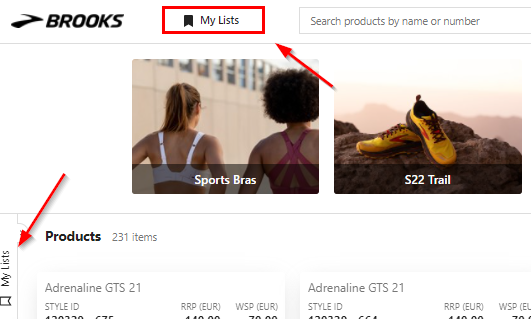
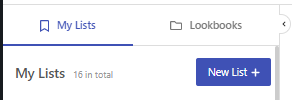
- Click new list
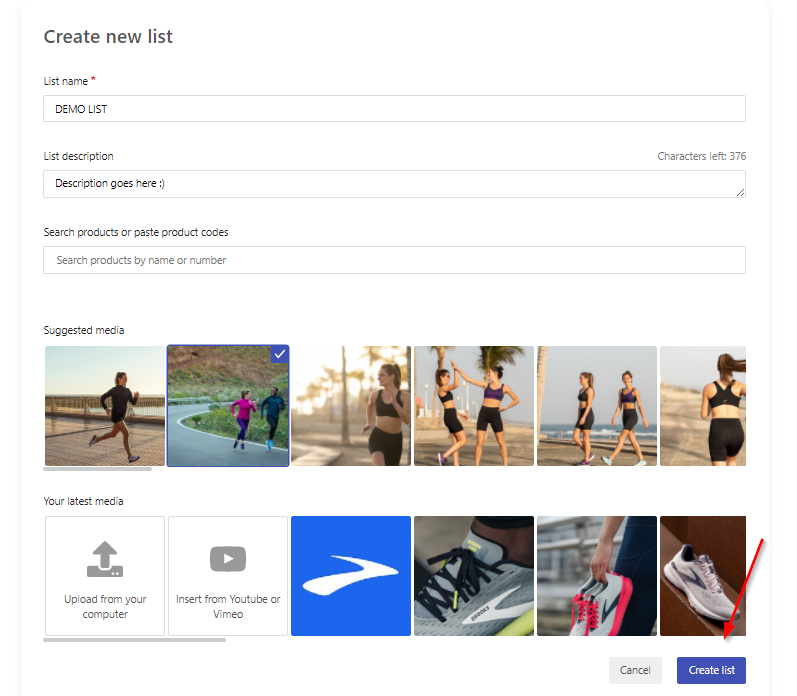
- Give your list a name, and optionally add a description and an image (which you can either pick from Brooks assets or by uploading your own) and click create
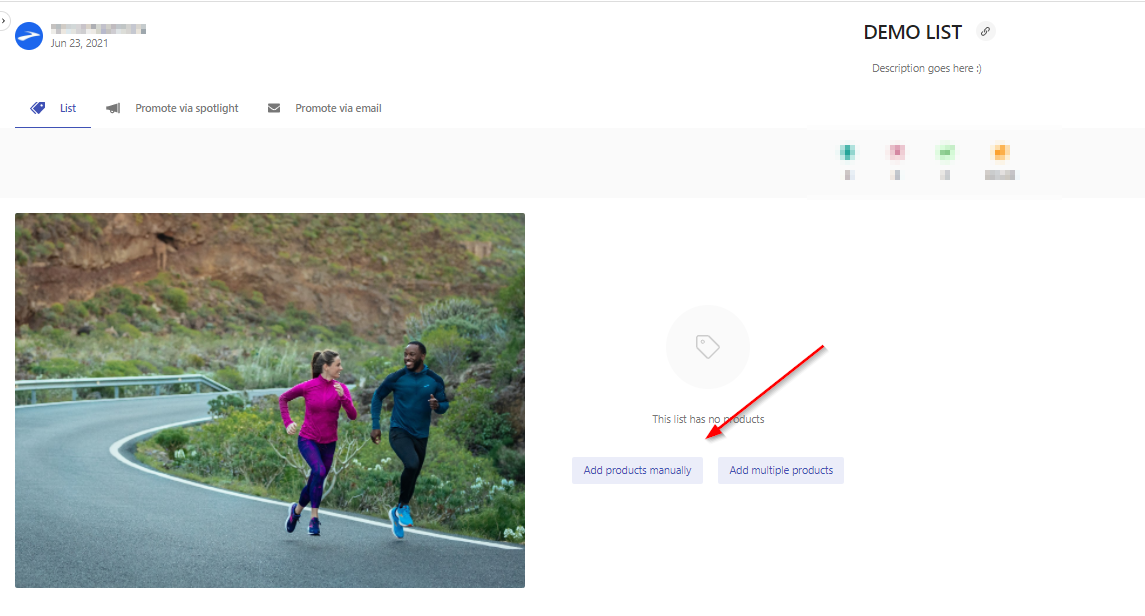
- Now you have created a list, but it's still empty - click on add products manually
- Add products to your list, by manually selecting the list icon on every product
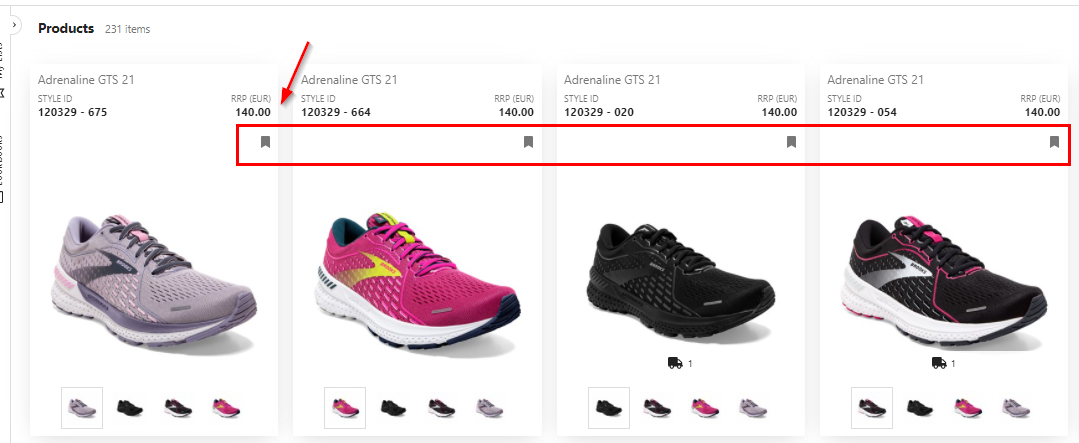
- Go back to your list, which now contains the products you selected
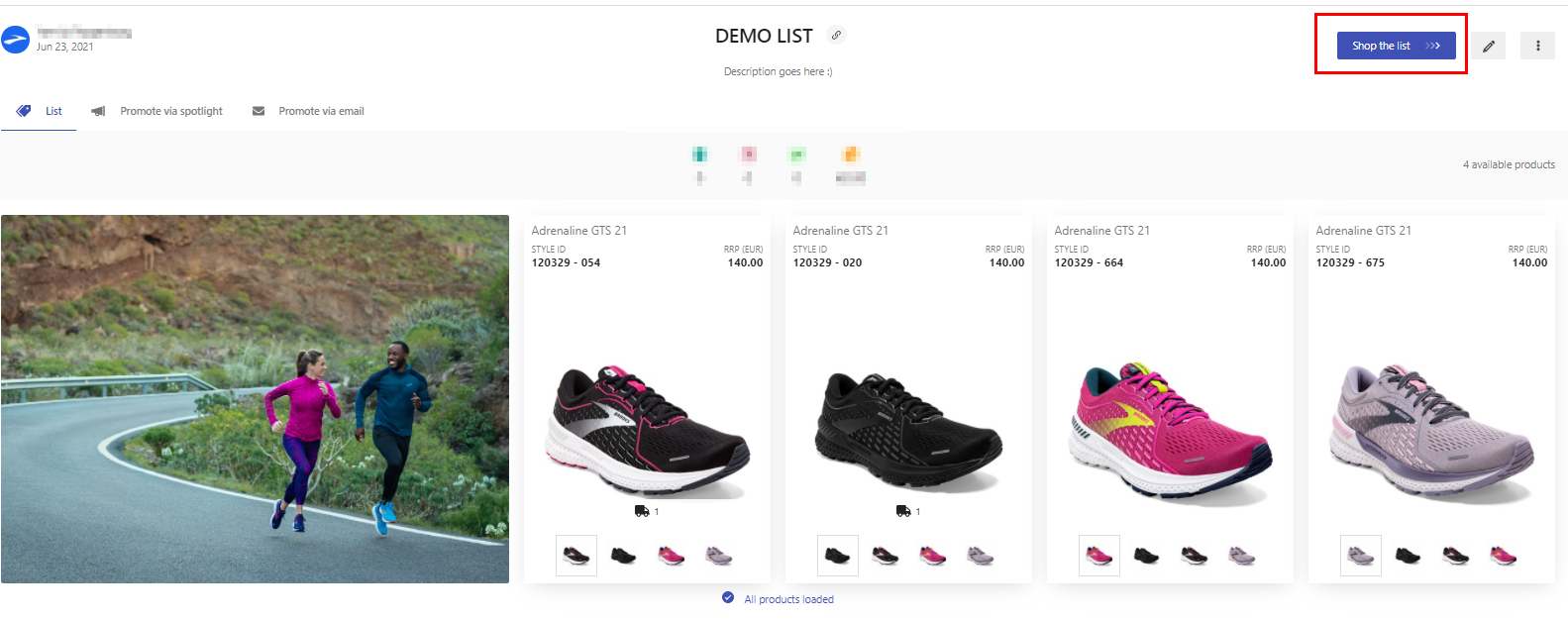
- Now you can always go to this list and click Shop the List. If you do that, the site will to take you through a shopping sequence of all the products in your list, one after another.
You can create as many lists as you want to ease your experience on FastTrack.
Some suggestions for lists:
- My top-sellers
- Apparel
- Bra's
- Socks
- Trail Shoes